Appingine
Let's Discuss Your Tech Solutions

Camilla Lawrance

 05/07/2026
In 2026, mobile phones are no longer an option but have become a necessity for many businesses and it's where the customers already are. And building a mobile app is essential to grow your business and to interact with the desired audience globally. But without a clear strategy it could be the most expensive mistake that a business could make. Therefore, Appingine, as a top mobile app development company, brings you an ultimate guide that will help you walk through every stage, from making an informed decision whether you actually need an app to choosing the right tech stack, to launching and achieving exceptional engagement throughout the business journey.
Whether you're a startup founder validating through MVP or launching your very first product or an established enterprise team willing to take your product to the next level by advancing it through the internal tools, the experts of Appingine assess you by sticking to the principle that is to start with the problem and not the solution.
In this guide, you'll have a clear framework for making build vs. buy decisions while setting realistic budgets and moving fast without burning resources.
Apple continues to lead the premium smartphone market by making iOS app development a smart choice for businesses targeting high-value customers across industries like fintech, healthcare, ecommerce, SaaS, other enterprise solutions and more. With Apple's tightly integrated software ecosystem, including hardware and software ecosystem, developers can build highly optimized apps with fewer compatibility issues, easier testing and better performance using advanced frontend technologies like Swift, SwiftUI, UIKit and modern backend technologies such as REST APIs, GraphQL, Firebase and cloud platforms like AWS, Azure or Google Cloud.
Benefits of iOS app development
Best suited for
Although iOS mobile app development generally involves stricter App Store review guidelines, the result is often a more stable application with higher user trust and long-term customer retention.
Also read: iOS App Development: A Complete Guide for 2026
The majority of smartphones in the world run Android, which makes it the perfect platform for businesses that are seeking to reach as many different markets and clientele around the globe. Releasing an Android app on Google Play is not the only step, but it should be developed with an emphasis on security, performance and long-term maintainability.
Best practices for Android app development
Design for multiple screen sizes
The screen size, resolution and hardware capabilities of Android devices differ significantly. But what is guaranteed is consistent user experiences across tablets, smartphones and foldable devices via responsive layouts.
Optimize app performance
Users quickly abandon slow applications. Compress images, reduce unnecessary API calls, implement lazy loading, and optimize database queries to maintain smooth performance.
Prioritize security
Protect sensitive business and customer data through:
Build offline functionality
Many users experience inconsistent internet connectivity. Offline caching improves usability and customer satisfaction while reducing app abandonment.
Follow Material Design guidelines
Google's Material Design system provides consistent navigation, accessibility, animations, and interface patterns that users already understand.
Test across real devices
Because Android includes thousands of devices from multiple manufacturers, comprehensive testing across various screen sizes and operating system versions remains essential.
Also Read: Android App Development Best Practices for Business Apps in 2026
| Factor | Android | iOS |
|---|---|---|
| Global market share | Higher | Lower |
| Premium customer base | Moderate | High |
| Development complexity | Higher | Lower |
| Device fragmentation | High | Low |
| App approval process | Faster | More rigorous |
| Revenue per user | Moderate | Higher |
| Customization | Extensive | Limited |
| Enterprise adoption | Strong | Very Strong |
Well, developing a mobile app for your business is not just a strategy but it's a tool. And like any tool, it's only valuable when it's the right one for the job.
The real question isn't "should we build an app?" it's "why?"
Many companies seek mobile applications for the wrong reasons: investors expect them, competitors already have them, or it seems like a logical next step. However, none of those are motivated by business. The proper justifications come from the behavior of your users and the fundamental principles of your product.
When a mobile application enables something that a web experience simply cannot, such as offline access, push notifications, device hardware (GPS, camera, biometrics), or a highly repetitive, habitual workflow where opening a browser adds significant friction, it makes sense.
Making an informed decision for the business which direct reflect on growth, customer retention as well as ROI, is not an easy one. But if you are developing an app for both the iOS and Android platforms, then cross-platform development is making frameworks like Flutter and React Native viable options for many businesses.
What benefit it cause? It allows developers to build an application by leveraging a single codebase for both Android and iOS while reducing development costs and speeding up product launches.
Google created Flutter, which provides near-native speed by rendering its own user interface elements using the Dart programming language.
| Pros | Cons |
|---|---|
| Excellent performance | Larger application sizes |
| Beautiful custom UI | Smaller developer community than JavaScript |
| Consistent design across platforms | Dart has a learning curve |
| Fast development cycles | |
| Strong Google support |
Web development teams favor React Native, which was developed by Meta and makes use of JavaScript and React.
| Pros | Cons |
|---|---|
| Large developer community | Performance may require native modules |
| Extensive third-party libraries | Dependency management can become complex |
| Code sharing with React web projects | UI consistency varies between platforms |
| Faster hiring due to JavaScript popularity |
Still wondering which one will be the best option that fit your business requirements, goals and objectives perfectly and helps take your business to the next level in the advanced digital landscape? You can also read the entire guide about Flutter vs React Native: The Complete Developer's Guide to Choosing Your Cross-Platform Stack.
Once you have decided on the mobile app development approach, the next step is to choose the type of application that suits your business, whether Native, hybrid or PWA. Why do we think is important? The entire development cycle which includes timeline, budget, team structure and long-term maintenance burden are highly dependent on it.
When developing a mobile application, one of the first architectural choices is whether to use a hybrid method or create a native application.
Platform-specific languages like Swift and Kotlin are used to create native apps for iOS and Android independently.
| Advantages | Disadvantages |
|---|---|
| Best performance | Higher development cost |
| Full hardware access | Separate codebases |
| Superior user experience | Longer development timeline |
| Better security | Increased maintenance |
| Easier platform optimization |
Using frameworks like Flutter or React Native, hybrid applications employ a single codebase to run on several platforms.
| Advantages | Disadvantages |
|---|---|
| Lower development costs | Slightly lower performance |
| Faster launch | Some advanced native features require additional work |
| Shared codebase | More dependency on framework updates |
| Easier maintenance | |
| Faster feature rollout |
Before making any decision, ensure you learn more about hybrid and native apps, and which one will bring a golden medal to your business.
Also read: Native vs Hybrid Apps: Pros, Cons & When to Use Each
| Factor | Native | Hybrid | PWA |
|---|---|---|---|
| Initial cost | $80,000–$250,000+ | $40,000–$120,000 | $10,000–$40,000 |
| Time to launch | 6–18 months | 3–9 months | 1–3 months |
| Performance | Excellent | Very good | Good |
| Offline support | Full | Full | Partial |
| App store presence | Yes | Yes | No |
| Push notifications | Full | Full | Android only |
| Camera / GPS / hardware | Full | Most APIs | Limited |
| Maintenance load | High (2 repos) | Moderate | Low |
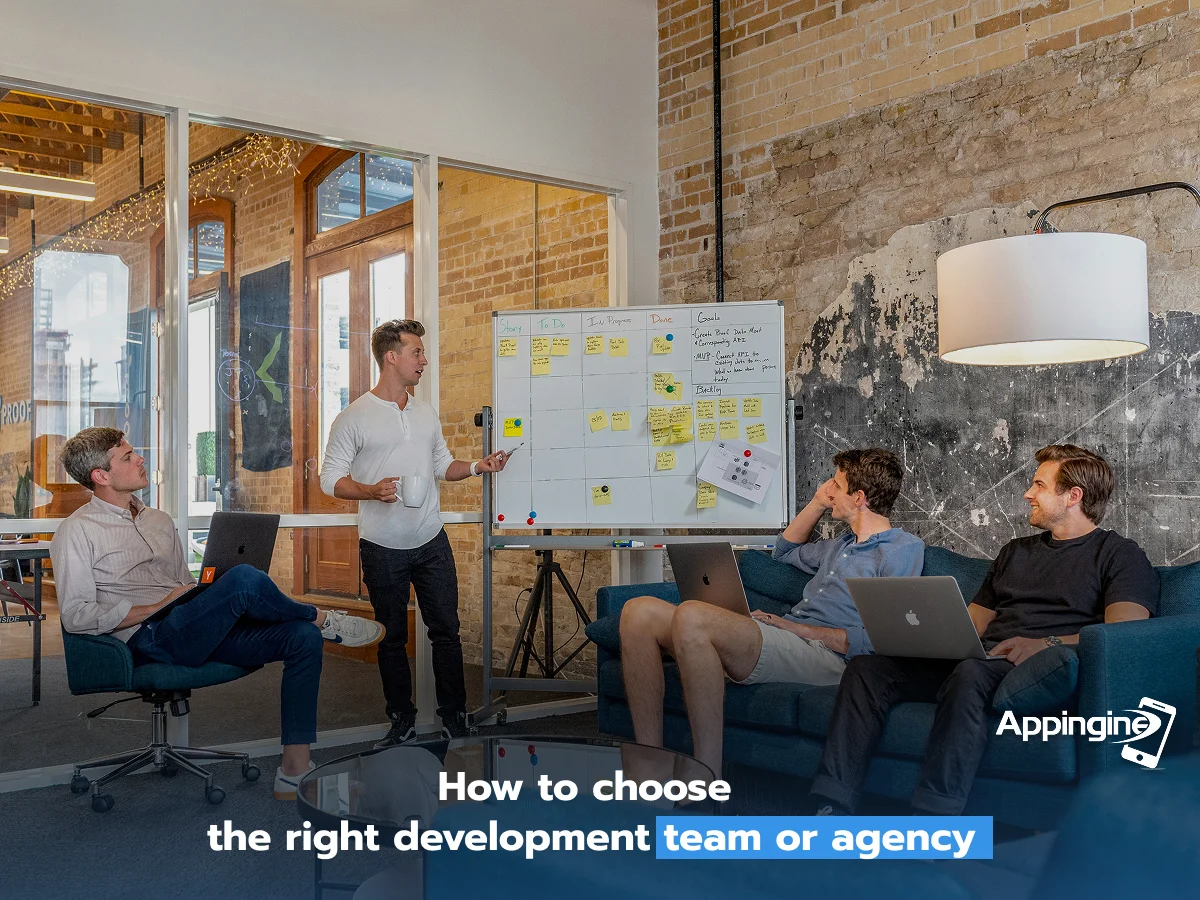
Your technology choice shapes the product but choosing the right development team shapes everything, which includes the timeline, the budget overruns, the communication breakdowns and ultimately whether the product ships at all. Here, we have listed multiple options to hire a developer for your app development project and help you make an informed decision.
Employ mobile engineers directly. Complete control and the best long-term return on investment, but sluggish to start and costly to scale.
| Cost | Highest |
| Control | Maximum |
| Speed to start | Slowest |
| Best for | Core product teams |
Design, development, and quality assurance are managed by a full-service team. For most organizations, this is the quickest route to a product that is ready for production.
| Cost | Moderate–high |
| Control | Shared |
| Speed to start | Fast |
| Best for | MVP to production |
Adaptable and economical for tasks with a certain scope. To prevent fragmentation, effective internal project management is necessary.
| Cost | Lowest |
| Control | Variable |
| Speed to start | Fast |
| Best for | Specific features or fixes |
When handled properly, with a committed remote staff, usually at reduced day rates, it's a strong alternative; when not, it could be dangerous.
| Cost | Lower |
| Control | Moderate |
| Speed to start | Moderate |
| Best for | Scaled delivery teams |
The cost of mobile app development highly depends on multiple factors, which include the features as well as functionalities, complexities, resources and the development team and more. Here are some realistic ranges for 2026, what really drives expenses and will help you to create a fine budget that doesn't blow up your bank.
| Cost Tiers | MVP / basic app | Production app | Complex / enterprise |
|---|---|---|---|
| Timeline | 2–4 months | 4–9 months | 9–18+ months |
| Platforms | Single (iOS or Android) | iOS + Android | iOS, Android, sometimes web |
| Features | Auth, core flow, basic UI | Full feature set, integrations | Deep integrations, offline, AI |
| Backend | Simple REST API or BaaS | Custom API + database | Scalable microservices |
| Team | 1–2 devs | 3–5 devs, PM, QA, designer | 6–12 specialists |
| Best for | Validation, internal tools | B2B SaaS, consumer launches | Fintech, health, marketplace |
Development speed, maintenance costs, future expansion and other operations are all directly impacted by the choice of technology stack. There isn't a single "best" stack; instead, the optimum option relies on your company's objectives, anticipated user base, and product complexity.
iOS
Android
Cross-platform
| Layer | Recommended Technologies |
|---|---|
| Mobile Frontend | Swift, Kotlin, Flutter |
| Backend | Node.js, .NET, Python |
| Database | PostgreSQL, MongoDB |
| Cloud | AWS, Azure, Google Cloud |
| Authentication | Firebase Auth, Auth0 |
| Payments | Stripe, Apple Pay, Google Pay |
| Push Notifications | Firebase Cloud Messaging, APNs |
| Analytics | Firebase Analytics, Mixpanel |
A modern technology stack should prioritize security, performance, maintainability and ease of future upgrades. By choosing proven technologies from the beginning, developers helps businesses reduce technical debt and support long-term product growth.
To validate the idea or find several other suggestions that create value for the mobile application in the market and in users lives, an MVP is developed. A minimum viable product (MVP) is the smallest or initial version of the idea that will be built and lets you learn whether your core assumption is true and helpful or not.
Make sure you know what you are developing, who it is for, and the one statistic that will tell you the MVP was successful before you create a single screen. Until this is finished, everything else is a diversion.
Three months of development won't tell you as much about the usability of your product as a Figma prototype tested with five to eight real consumers. Instead of in production, fix the flows here.
The core user experience that provides the main benefit of your product should be the only one included in your MVP. Secondary features, settings, notifications, and authentication are added later. Deliver this quickly to actual users.
Your most valuable time is within 90 days of launch. Everything is instrumented. Speak with every active user. Before broadening the scope, pinpoint the one or two factors that are most important for retention.
Investing in the second platform, advanced features, and growth infrastructure should only come when you have retention data and a validated core loop. It just costs more money to scale a failed product more quickly.
Launching the application in the digital market is not enough, but that's when the real game starts. Many businesses have crashed with the evolution in technology and tools, because they haven't invested much in the post-launch maintenance and growth. Negligence is the most common reason why good applications or software die quietly. To make sure your app stays competitive, reliable and scalable for a longer time in the digital world, businesses invest to treat post-launch with the same strategic rigour they applied to the build.
How can businesses keep track of the maintenance and updates throughout their journey? As a part of the advanced mobile app development company, Appingine, here is the calendar mentioned below, which is followed by the experts in the advanced digital world so the app remains healthy and reliable throughout your business journey.
| Task | Frequency | Why it matters |
|---|---|---|
| Monitor crash reports and error logs | Daily | Unresolved crashes tank ratings within days |
| Review user reviews and respond publicly | Weekly | Responding to 1-star reviews improves average rating over time |
| Check performance metrics (load times, API latency) | Weekly | Slow apps lose 53% of users before the screen loads |
| Push bug fix or patch release | As needed | Users expect fixes within days, not weeks |
| Analyse retention and funnel drop-offs | Monthly | Reveals where users disengage before it becomes a crisis |
| Feature release or UX improvement | Monthly | Regular updates signal an active, trusted product |
| Security audit and dependency updates | Monthly | Outdated libraries are the most common attack vector |
| OS compatibility review (iOS / Android updates) | Quarterly | Apple and Google release betas 3 months before major updates |
| Full accessibility and compliance review | Quarterly | WCAG and GDPR requirements evolve — reactive compliance is expensive |
| User research and roadmap reprioritisation | Quarterly | Market needs shift — your roadmap should shift with them |
Every section of this guide has pointed toward the same truth: the businesses that win with mobile apps are the ones that treat them as living products, and have the best mobile app development company like Appingine by their side and not one-time deliverables. They validate before they build, ship small and learn fast, choose teams over technology, budget honestly and invest in the product long after launch day. The ones that fail do the opposite: they over-scope, under-research, and abandon the product the moment it goes live.
Mobile isn't a channel. It's an ongoing commitment. Do it with a clear strategy, the right team, and a realistic plan — and it will compound in value for years.

Tel: +1 (800) 453-1297
Email: [email protected]
Main Office:
4929 Wilshire Blvd, Los Angeles, CA 90010
© 2026 Appingine. All Rights Reserved.